Editing lane
Premium editor
Review, annotate, sign, and export from a single high-contrast canvas.
The obsidian architect
Pdf Clarity now stages editing, compare, crop, watermark, and standards work inside one obsidian product language, with honest limits, close trust context, and fewer dead-end utility pages.
Core lanes
6
Editing, compare, crop, overlays, watermark, and preflight all share one obsidian system.
Honest limits
Nearby
Pricing boundaries, trust details, and support routes stay visible before you commit work.
Browser-first
Local
The first working surface is fast to reach, and the live product depth is visible in the UI itself.

Start with the exact task
Workspace target
Premium, calm, and task-first
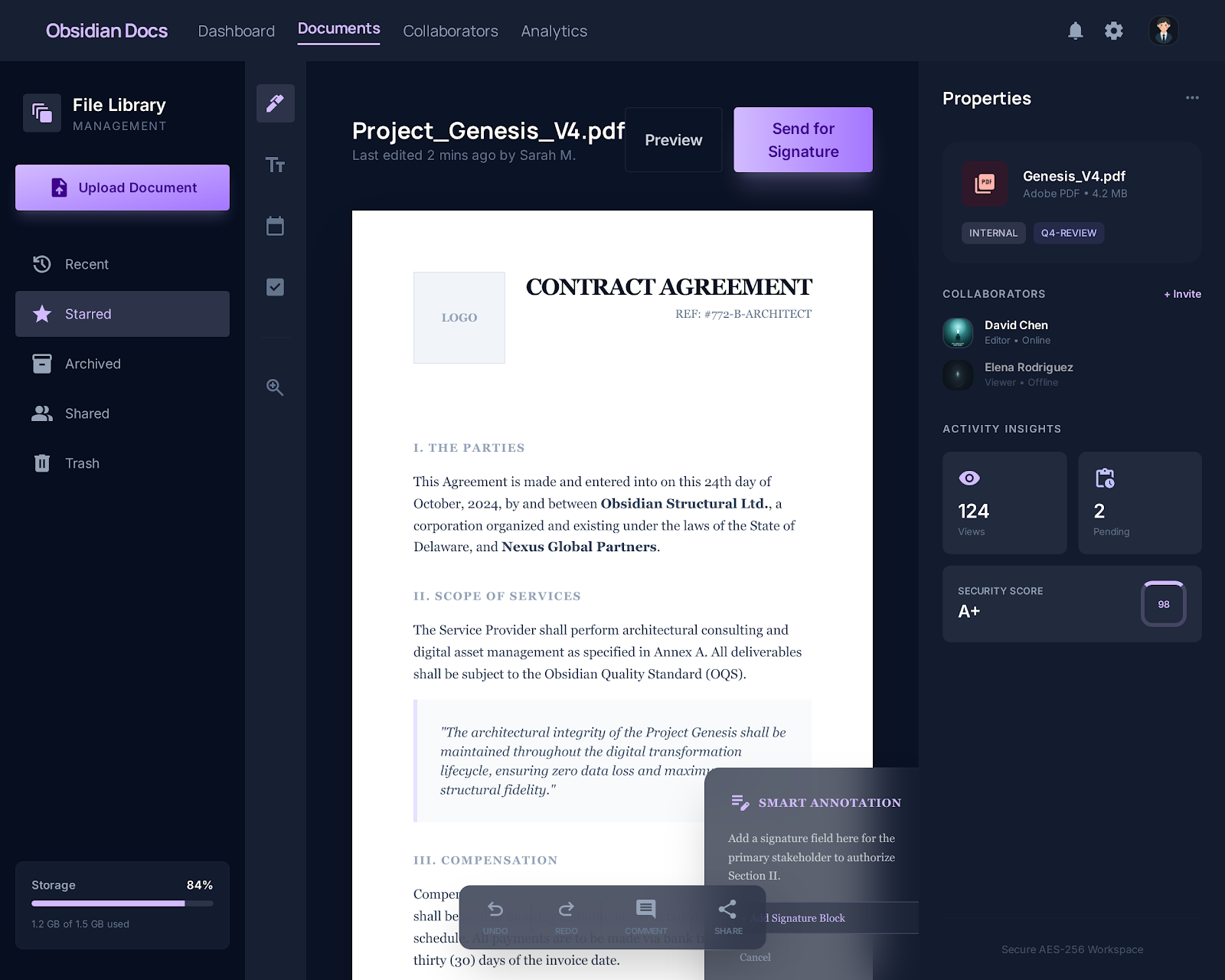
Editing lane
Review, annotate, sign, and export from a single high-contrast canvas.
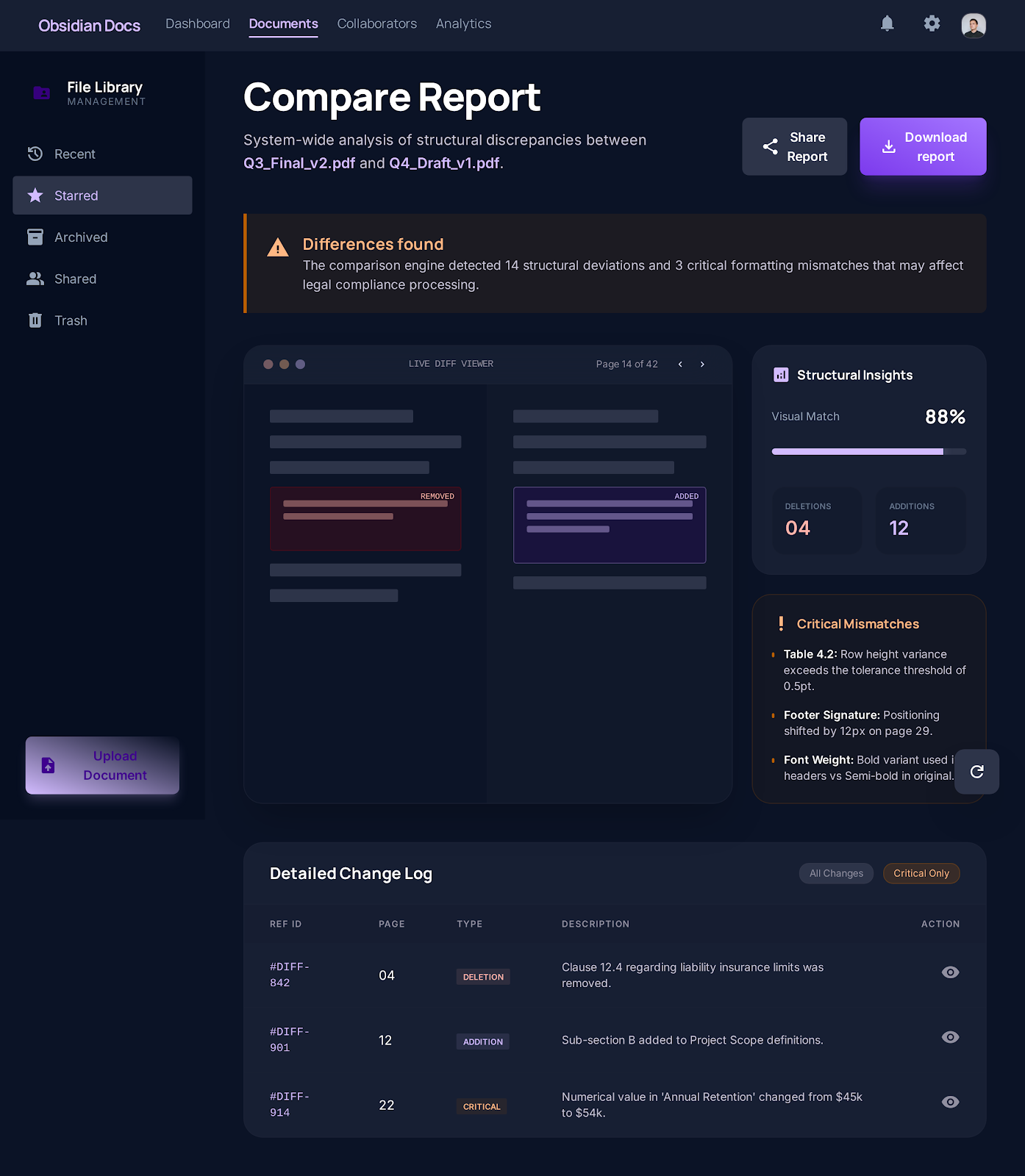
Compare lane
Structural drift, metadata changes, and the working change log stay visible together.
Live tool
Open the full editor for text, annotation, page cleanup, signatures, and export.
Live tool
Start in a review-first workflow for highlights, notes, shapes, and quick markup.
Live tool
Place signatures, initials, dates, and text fields without switching tools.
Live tool
Combine files into one PDF and keep the order under your control.
Live tool
Extract exact page ranges into a clean subset file.
Live tool
Reduce file size after editing, signing, or merging.
Working surfaces
The new direction is less about generic upload cards and more about showing the real working surface early, so people know where the document is headed next.
Editor lane
A full document plane, close controls, and export actions that stay in the same workspace.
Review lane
See the diff report, drift signals, and change log without dropping into a generic upload form.
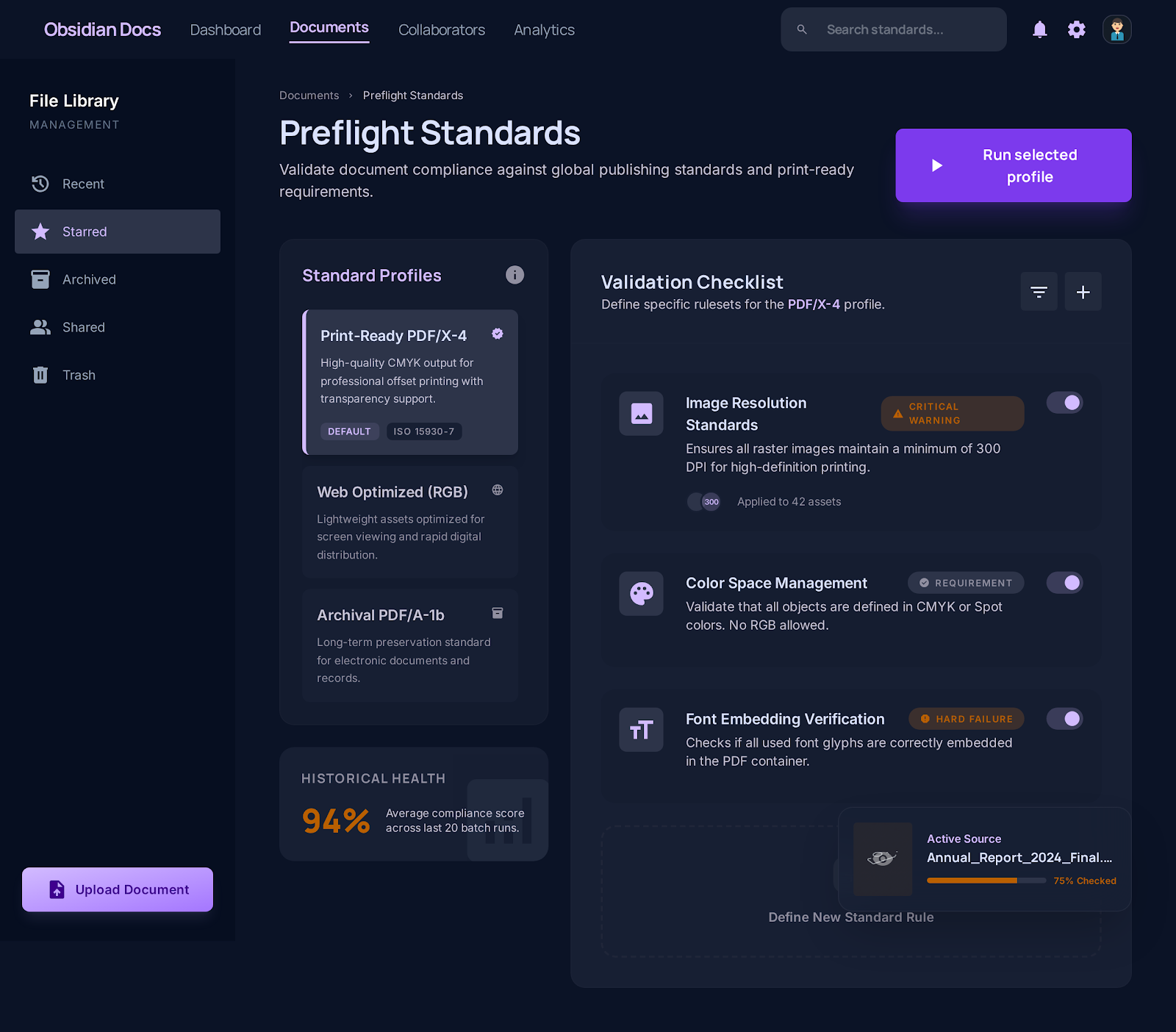
Standards lane
Preflight reads like an audit command center with profiles, rules, and decisive follow-up actions.
Workflow clusters
The strongest public PDF sites do not rely on one hero CTA. They route people into edit, convert, organize, and protect clusters so related tasks stay connected.
Category page
Browse Pdf Clarity edit and review tools for editing, annotation, fill and sign, form filling, OCR-aware support, and follow-up PDF work.
Category page
Browse Pdf Clarity conversion tools for PDF to Word, Word to PDF, Excel to PDF, PowerPoint to PDF, PDF to image, and image to PDF workflows.
Category page
Browse Pdf Clarity organize tools for merge, split, compress, crop, and page-first cleanup workflows.
Category page
Browse Pdf Clarity protection and preparation tools for password protection, certificate security, page numbering, overlays, and standards checks.
Help and trust
Competitors win because they keep guides, pricing cues, and trust explanations beside the tool flow. Pdf Clarity now does the same across help, support, pricing, and trust surfaces.
Help article
Learn how to edit a PDF without Adobe by opening the real Pdf Clarity editor, checking limits up front, and routing scanned files honestly.
Help article
Understand the OCR-first path for scanned PDFs, when to use suspect review, and where editable-text expectations still need caution.
Help article
Add text to a PDF online by opening the full editor, understanding native-text limits, and choosing the right route when the document is scanned.
Help article
Highlight a PDF online from a review-first workspace, keep comments and other markup together, and export through the same canonical path.
Help center
Browse task-first guides for editing, scanned PDFs, forms, signatures, and cleanup workflows.
Comparisons
See how Pdf Clarity compares with Adobe Acrobat, Smallpdf, Sejda, iLovePDF, and Canva.
Commercial
See what stays free, what moves into paid workflow depth, and how plan boundaries are described.
Trust
Review the current document-handling, storage, export, and analytics boundary before upload.